Sign In
Recall the formula for a permutation, _n P_r = n!/(n-r)!.
Recall the formula for a combination, _n C_r = n!/(n-r)! r!.
_(10) P_8 = 10!/8! = 90
_(10) C_8 = 10!/2! 8! = 45
_6 C_1=6!/5! 1!=6
To evaluate the given permutation, we will use the corresponding formula.
_n P_r = n!/(n-r)!
We are given that n= 10 and r= 8. Let's substitute these values into the formula and simplify.
n= 10, r= 8
Subtract term
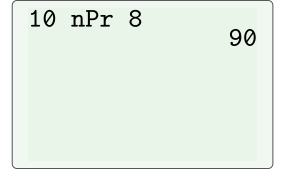
Next, let's compute the value of _(10) P_8 using the permutation function on our graphing calculator. First we enter the value of n, which is 10 in our case.
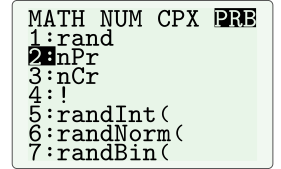
Next, push the MATH button, scroll to PRB, and choose the second option. Having chosen _nP_r,
we must also enter the value of r, which is 8.
To evaluate the given combination, we will use the corresponding formula.
_n C_r = n!/(n-r)! r!
We are given that n= 10 and r= 8. Let's substitute these values into the formula.

n= 10, r= 8
Subtract term
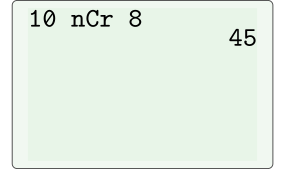
To calculate this, we can use the graphing calculator's combination function. First we enter the value of n. In our case, it is 10.
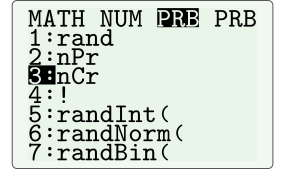
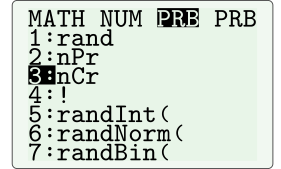
Next, push the MATH button, scroll to PRB, and choose the third option. Having chosen _nC_r,
you must finish by entering the 8 for r.
To evaluate the given combination, we will use the corresponding formula.
_n C_r = n!/(n-r)! r!
We are given that n= 6 and r= 1. Let's substitute these values into the formula.
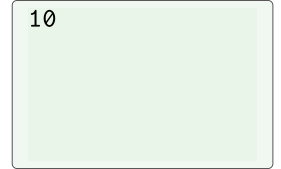
n= 6, r= 1
Subtract term
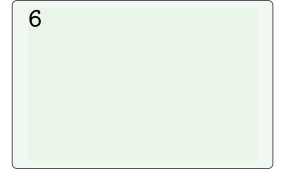
To calculate this, we can use the graphing calculator's combination function. First we enter the value of n. In our case, it is 6.
Next, push the MATH button, scroll to PRB, and choose the third option. Having chosen _nC_r,
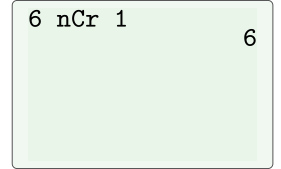
you must finish by entering the 1 for r.